SUHFORM Align
정합·정렬과 자동 마운팅부터
시뮬레이션과 내보내기까지.
From scan alignment and automatic mounting
to simulation and export.
카드 등록 없이, Align 첫 실행부터 7일간.
가입·무료체험 →Explore Align →국내 서비스 · SUHFORM ALIGN & CROWNINTERNATIONAL · SUHFORM ALIGN
Align으로 디지털 모델을 준비하고,
Crown으로 크라운 디자인을 이어갑니다.
하나로 연결되는 두 가지 도구.Automate alignment and virtual articulator mounting.
Review movement and export models for your next CAD workflow.
정합·정렬과 자동 마운팅부터
시뮬레이션과 내보내기까지.
From scan alignment and automatic mounting
to simulation and export.
카드 등록 없이, Align 첫 실행부터 7일간.
가입·무료체험 →Explore Align →자동 변연 검출과 크라운 생성,
결과를 검토하고 다듬는 CAD 도구.
Automatic margin detection and crown generation,
with tools to review and refine.
개발·검증 일정에 따라 변경될 수 있습니다.
Launch timing to be announced.
Crown 시연 보기 →Preview Crown →회원가입 후 필요한 도구를 무료로 사용하세요.Sign up to use these tools for free.
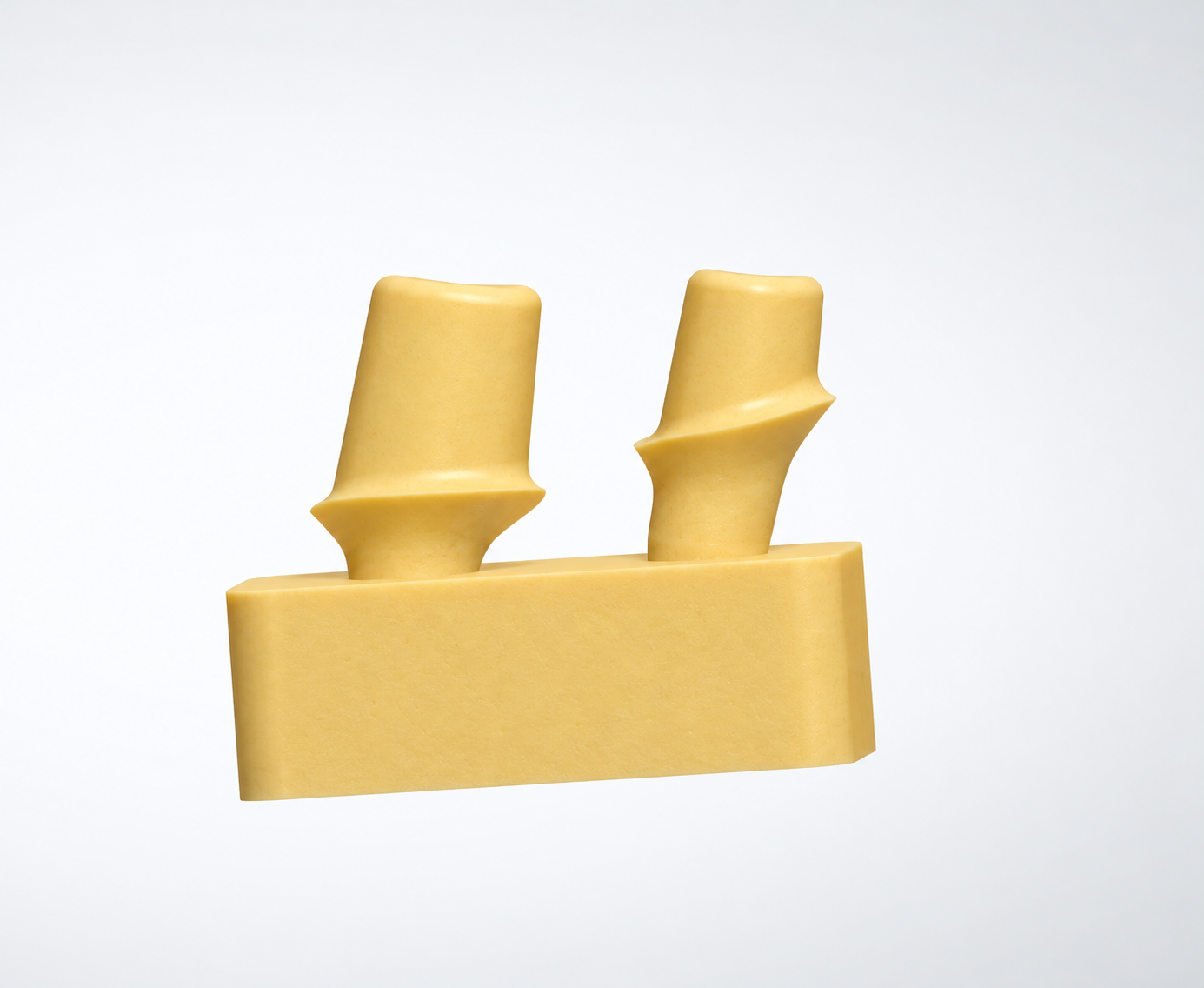
어버트먼트 STL로 시멘트 지그를 만드세요.Build a cement jig from your abutment STL.
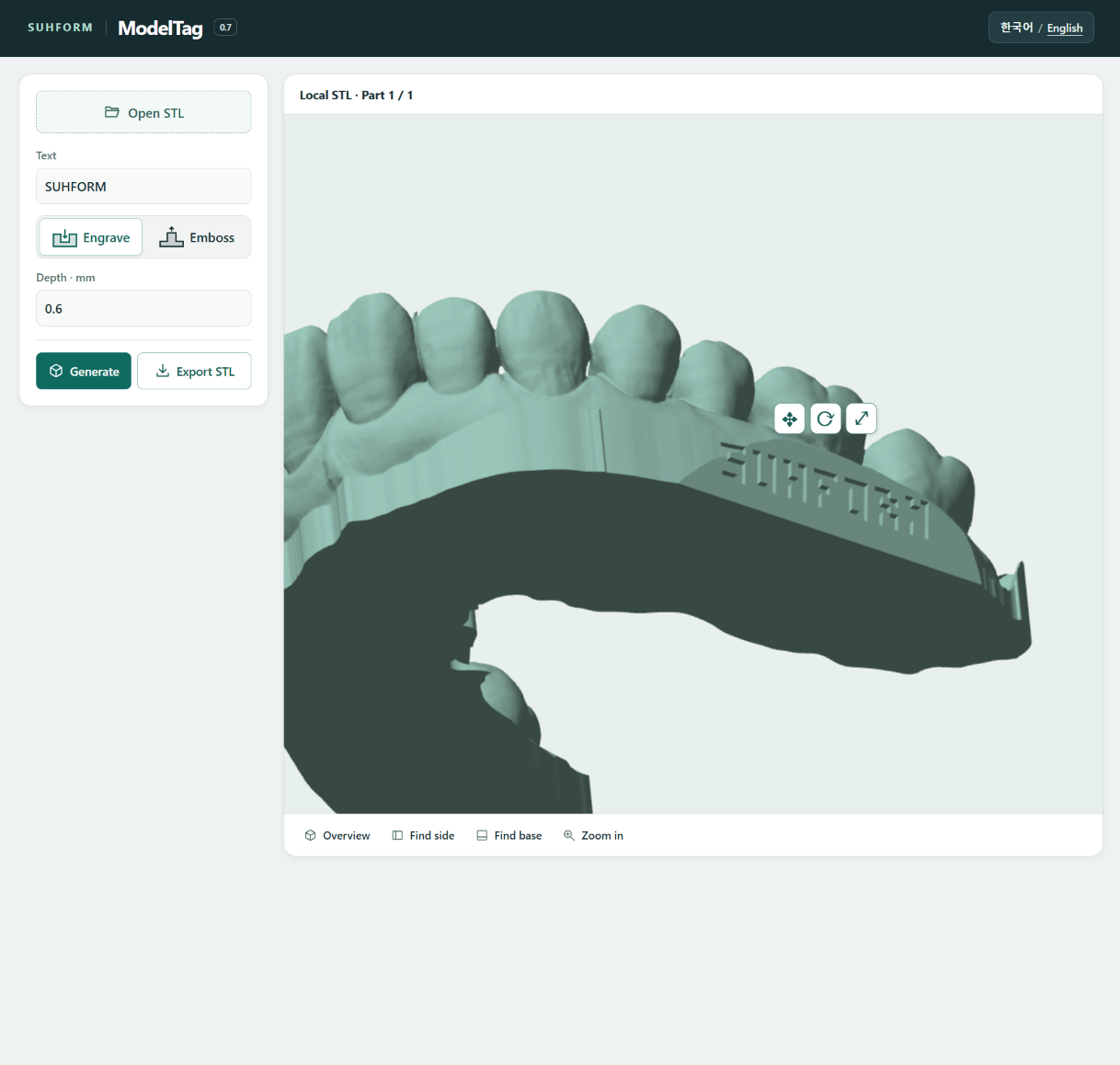
Bring in your dental scans.
Define orientation and references.
Position on a virtual articulator.
Take models into your next workflow.
01 / INTRODUCING ALIGN
정합·정렬부터 자동 마운팅과 FGP 활용까지.
디지털 모델 준비를 하나의 흐름으로 연결합니다.Align scans, automate mounting, and export FGP references.
Prepare your models in one connected workflow.
모델의 방향과 기준을 정리하고 가상 교합기에 자동 배치합니다. 배치 결과를 직접 확인·조정한 뒤 가상 교합 시뮬레이션으로 모델의 관계를 살펴보세요. 준비된 모델과 FGP 참고 메시를 내보내 다음 CAD 작업에서 활용할 수 있습니다.Set the orientation and reference points, then automatically position your models on a virtual articulator. Review and adjust the placement, explore simulated movement, and export your models and FGP reference meshes for the next CAD step.
스캔 정합·좌표 정렬 → 교합기 자동 마운팅 → 가상 교합 시뮬레이션 → 모델·FGP 참고 메시 내보내기. 자동화된 준비 과정에서도 사용자가 결과를 확인하고 수정하며 다음 단계로 진행합니다.Register and align scans → mount on a virtual articulator → review simulated movement → export models and FGP reference meshes. Automation helps with preparation while you remain in control of reviewing and adjusting the results.
정렬한 모델을 가상 교합기 기준에 맞춰 자동 배치합니다. 수동으로 위치를 맞추는 부담을 줄이고, 필요한 조정에 집중하세요.
가상 교합 시뮬레이션으로 모델의 관계를 살펴봅니다. 자동 배치 결과와 설정을 직접 검토하고 필요한 부분을 조정합니다.
교합기 설정에 따른 운동 경로를 FGP 참고 메시로 내보냅니다. 정렬된 모델과 함께 다음 CAD 작업에서 형태와 공간 관계를 검토하는 데 활용하세요.
FGP · Functionally Generated Path
평균값 또는 사용자 설정에 기반한 기하학적 참고 메시입니다. 실제 환자의 턱운동을 측정하거나 그대로 재현한 데이터는 아닙니다. 내보내기 전 결과를 확인하고, 사용할 CAD의 파일 지원과 적용 방법을 확인하세요.
Automatically place aligned models relative to the virtual articulator. Reduce repetitive positioning and focus on checking the setup and making the adjustments your case needs.
Explore how the models relate to one another during simulated articulator movement. Inspect the placement and settings, then make adjustments before export.
Export an FGP reference mesh generated from the articulator settings. Use it alongside your aligned models as a geometric reference when reviewing shape and spatial relationships in your next CAD step.
What is FGP?
FGP stands for Functionally Generated Path. In Align, the exported mesh is a geometric reference generated from average-value or user-defined articulator settings. It does not measure or reproduce a patient's actual jaw movements. Review the output before use and check your CAD software's file support and import workflow.
ALIGN / IN ACTION
정렬된 모델을 자동 배치하고, 결과를 확인·조정하세요.Automatically mount aligned models, then review and adjust the result.
가상 운동으로 생성한 FGP와 상·하악 교합면을 확인하세요.Review the FGP generated from simulated movement and inspect upper and lower occlusal surfaces.
교합기 설정에 기반한 CAD 참고 메시A CAD reference mesh based on articulator settings
모델과 FGP, 기준 평면을 내보내 다음 CAD 작업에 활용하세요.Export models, FGP and reference planes for your next CAD step.
02 / SUHFORM CROWN
자동 마진 검출부터
크라운 생성·편집·STL 내보내기까지.From automatic margin detection
to crown generation, editing and STL export.
반복적인 설계 과정은 자동화하고, 결과를 확인하고 다듬는 데 집중하세요. 자동 교합기 마운팅과 전용 라이브러리·사용자 설정을 활용한 초기 크라운 생성부터 형태 편집과 STL 내보내기까지 연결합니다.Automate repetitive design steps and focus on reviewing and refining the result. Connect automatic articulator mounting and initial crown generation using a dedicated library and your settings with shape editing and STL export.
임시치관 제작을 위한 싱글 크라운 디자인에도 활용하세요.Designed to support single-crown workflows, including designs for temporary crown fabrication.
현재 지원 범위Current scope
소구치·대구치 싱글 크라운Premolar and molar single crowns
향후 확장Planned expansion
전치부 지원 예정Anterior crown support
개발·검증에 따라 일정은 변경될 수 있습니다.Release timing is subject to development and validation.
치식과 대상 치아를 선택하면 설정값을 바탕으로 초기 크라운을 생성합니다.Select the tooth number and target tooth to generate an initial crown using your settings.
제안된 마진과 형태를 검토하고, 필요한 부분을 수정합니다.Review the proposed margin and shape, then make any needed adjustments.
최종 디자인을 확인한 뒤 제작용 STL 파일로 내보냅니다.Review the final design, then export an STL file for fabrication.
자동 생성 결과를 검토하고 형태 도구, 세부 파라미터와 고급 설정으로 조정하세요. 작업 시간은 모델과 기기 환경에 따라 달라집니다.Review the generated design and adjust it with shape tools, detailed parameters and advanced settings. Processing time varies by model and device.
설계 계산을 위해 스캔을 SUHFORM 서버에 업로드하지 않는 방식입니다. 로그인과 사용권 확인은 별도로 이루어집니다.Scan data does not need to be uploaded to SUHFORM servers for design calculations. Sign-in and license checks are separate.
Development previews only. These recordings do not demonstrate validated performance or establish suitability for clinical use. Public availability remains under review.
03 / WHAT COMES NEXT
Model is coming soon.
Studio remains our long-term vision.
SUHFORM MODEL / COMING SOON
A standalone tool for scan cleanup
and printing-model preparation.
Highlight holes, flipped or overlapping faces, disconnected fragments, and non-manifold edges. Fill defects while preserving designated margin regions.
Create more uniform triangles with a target edge length, while preserving sharp features and protected regions.
Combine overlapping meshes into one connected, closed solid and remove internal overlapping faces and shells.
Create a hollow model with a defined wall thickness to reduce printing resin use. Drain-hole options are under consideration.
Union, subtract, or intersect meshes. Extend boundaries to support model bases and thickness creation.
Start with corresponding points, refine the surface match, and inspect differences with a color-coded deviation map.
Planned file workflow
STL / PLY / OBJ input. STL output with original coordinates preserved, plus a JSON operation history.
Local processing by design
Planned to process scan files in your browser without uploading patient files to a server.
Model is coming soon. Features and release details will be confirmed before launch.
04 / OUR APPROACH
SUHFORM develops focused tools for 3D model alignment and crown CAD. Align and Crown connect through file-based workflows, with tools to inspect and refine each result.
Reference setting, repetitive tasks, and connected data. Practical problems guide what we build.
Our aim is to process patient files on your device, in the browser. Each product’s data handling will be documented before release.
Clear roles for each app, with file-based exchange where workflows meet.
05 / PLANS & PRICING
국내 서비스 요금 안내.
Align부터 시작하고, Crown을 만나보세요.Start with Align today.
Preview what is next with Crown.
SUHFORM ALIGN · 지금 무료체험 가능
7일 무료체험
최초 앱 실행부터 7일, 카드 등록·자동 결제 없이.
가입·무료체험 →7일 무료체험 후 구독·결제할 수 있습니다.
ALIGN IS AVAILABLE NOW
US$15 / month
7-day money-back guarantee
Full refund within 7 days of each payment.
Get started →No free trial. Applicable taxes shown at checkout. Prorated refunds after 7 days. Resubscription after a refund requires administrator review.
정합·정렬과 자동 마운팅부터 시뮬레이션, 모델·FGP 참고 메시 내보내기까지. 다음 CAD 작업을 준비합니다.Prepare models for your next CAD step — from automatic mounting and simulation to model and FGP reference mesh export.
19,000KRW / month
VAT included
US$15/ month
Applicable tax at checkout
Use on one desktop browser at a time · Unlimited use
Generate a single temporary crown design
and review and refine it with CAD editing tools.
출시 예정 요금 · 12월 출시 예정Planned pricing · Coming soon
29,000KRW / month
VAT included
US$22/ month
Tax details before launch
Use on one desktop browser at a time · Unlimited use
Prepare scan meshes
and build models for printing.
Coming soon
Price to be announced
A separate module. Features and release timing will be announced.
In planningEach module is subscribed to separately. No bundle discount.
국내 요금은 부가세 포함입니다. Crown은 출시 준비 중입니다.Applicable taxes are shown at checkout. Crown is coming soon.
Unlimited designs and exports during the subscription period
한 번에 PC 브라우저 1개 · 같은 브라우저에서는 여러 탭 가능One desktop browser at a time · Multiple tabs in that browser
이전 PC에서는 계속 편집할 수 있어요.You can still edit on your previous PC.
새 PC에서 앱이 열리면 편집 권한이 옮겨지고, 이전 창에서는 저장할 수 있어요.Once the app opens on the new PC, you can edit there and save your project in the previous window.
이전 창을 닫기 전에 프로젝트를 저장하세요. 파일을 새 PC로 옮겨 같은 앱에서 여세요.Save the project before closing the previous window. Move the file to your new PC and open it in the same app.
The Align trial starts on first launch after Korean mobile verification and required consents. Design and file export have no case-count limit. No payment card, automatic billing or renewal. The same phone cannot claim another trial during the one-year retention period. Existing tester approvals remain separate.
The Korean trial needs no card and does not become paid automatically. International subscriptions have no free trial and renew monthly after explicit purchase consent. Stop renewal in Members to keep access through the paid term, or request a refund to end access. Refund-history accounts require administrator review before resubscribing.Subscriptions have no free trial and renew monthly after purchase consent. Stop renewal in Members to keep access through the paid term, or request a refund to end access. Accounts with a refund history require administrator review before resubscribing.
Request a full refund within 7 days of each payment, regardless of use. After 7 days, the unused period is refunded proportionally. Refunded accounts require administrator review before resubscribing. Mandatory legal rights remain unchanged.
After launch, we plan to provide AI help and inquiry intake around the clock, with inquiries requiring staff review answered in order on weekday evenings. Urgent issues such as duplicate charges or missing access after payment will receive priority review during weekday operating hours, with remote support by appointment where needed. Support channels and hours will be confirmed at launch.
Crown is being developed primarily for single temporary crown design. Users need to review margins, internal spacing, proximal contacts, occlusion and thickness, and make necessary adjustments. Supported cases, materials, fabrication methods and conditions of use will be announced before launch. The screens and videos currently shown are development previews.
FOLLOW THE DEVELOPMENT